Hi @cameron.orourke Please can you share your schema, either this or your simple test, so I can attempt to help you? The share link is below the download buttons.
I’ve also done a join test using some mock data from here to generate two related datasets of members and member payments:
Am I right in assuming that Spend_model and Campaigns are two separate datasets within your account, but that are linked in source so there will always be a match? Is it possible that the id is a string in one and number in another?
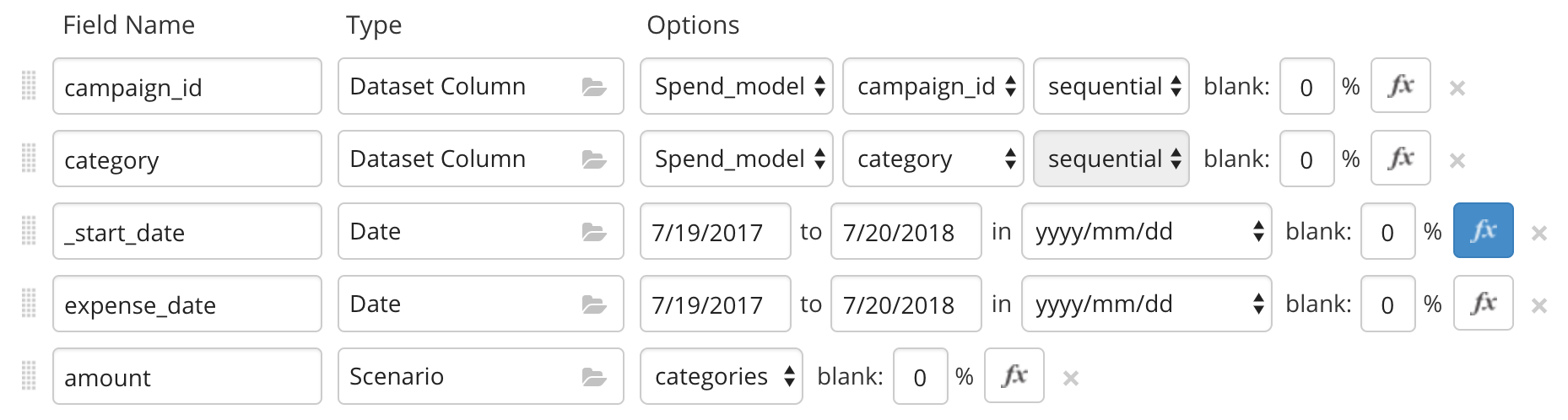
I noticed in both of your examples that you are using a formula column type whereas I have been trying to do a from_dataset() in the column formula. Is that not allowed? Are there other limitations of the field formula that I should be aware of?
If I move the from_dataset() function to a formula column, then it works. The reason I was setting the column type as Date and then using the field formula was to be able to specify the date formatting that I wanted (‘yyy/mm/dd’).
I’m not sure how to answer your question about datatypes because as far as I can tell the datasets are all untyped.
Hi @cameron.orourke
I think the formula in a generated column needs to act on the generated data. I don’t believe it could be used to actually bring the data from a fieldset. You should be able to use a data format formula within your formula to get the correct date format. For example: from_dataset("Campaigns","start_date", campaign_id: campaign_id).strftime("%Y/%m/%d")
I’ve added a quick example using a generated date field in here:
I can’t test in yours as I don’t have access to the dataset, but the general principle is the same.
Thanks. So I’m guessing the field formula has a different execution context than a formula column. Maybe by way of followup we should just put a small note in the doc or group the functions that can only run in a field formula together. In any case, mystery solved, and its working great.
Mockaroo is awesome, BTW. Its the easy to use yet powerful data generator we have been wishing for.
Hi @cameron.orourke - I’m not sure if there are specific functions that won’t work in a field function. It is simply about operating on the current field using the ‘this’ variable - you can’t use a field type as a formatter for data from elsewhere.
Hi,
I tried using the same formula from_dataset(“Program”,“Program Spend”, Program Name: Program Name). But says incorrect syntax. Please let me know what am I missing?
I think the problem in
from_dataset(“Program”,“Program Spend”, Program Name: Program Name)
is the “Program Name: Program Name” part
try changing the dataset column to a different name like
from_dataset(“Program”,“Program Spend”, Program Name: Prog_Name)
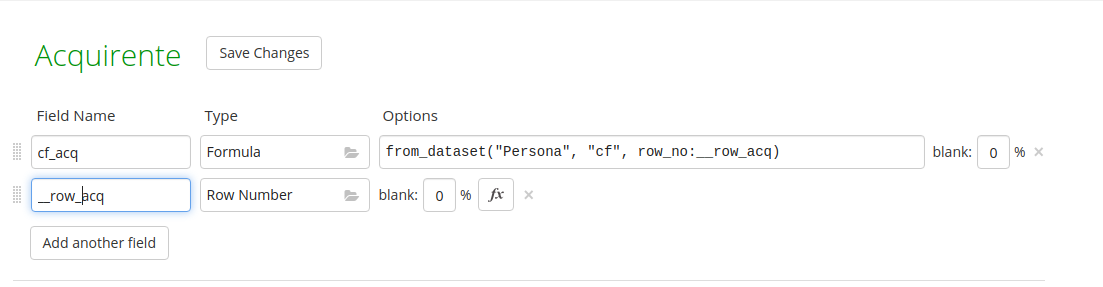
I’m having the same problem, tried as you suggested to use different names as you can see, but it says “field __row_acq not found”.
I also swapped the order in the join criteria of the formula without success (__row_acq:row_no)
There is any way to use hidden field in the criteria of the formula?
Because i need to count the touples of “Persona” to compute the value of other field in different schemas, but i don’t want to have a real field of type row number in the schema Persona
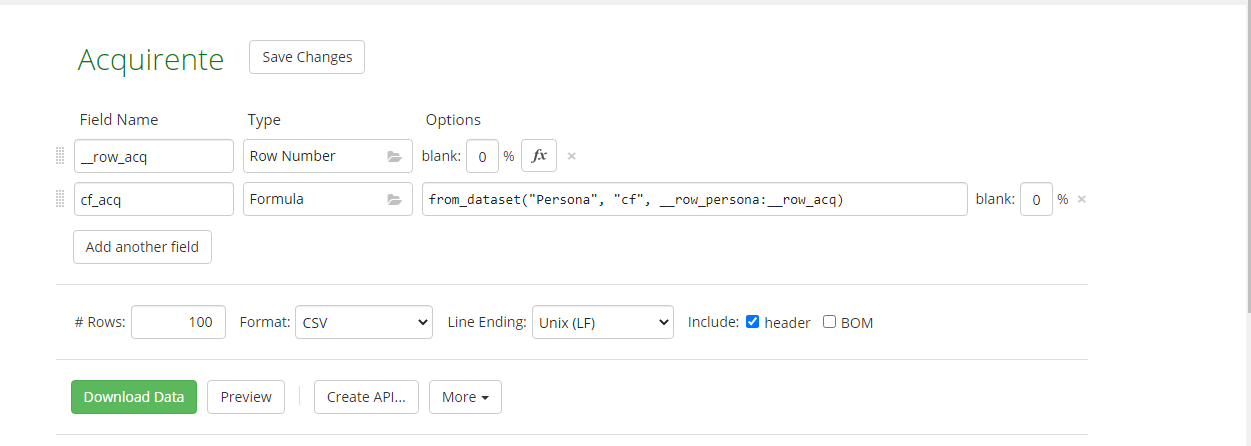
Sorry for my english, i’m trying to pick the fields (“cf”) from persona, where row_persona is equal to row_acq.
These last two fields are hidden (not visible due to the double underscore), i need them to pick some values from persona (for exemple if the values of row_acq are between 10-20 in this way i can pick the fields from persona where the row_persona is equal to that range).
I’ve put the underscores because they help me with the criteria of the formula, but i don’t need them (row_persona and row_acq) in the final table.