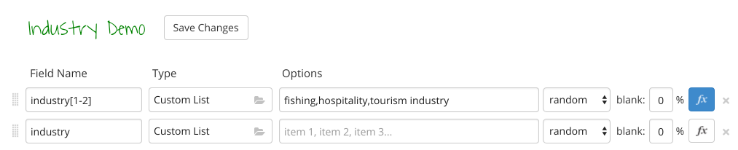
I created a field called “industry” with different industry values.
I wanted to create another field called “preferred industry” with 3 industries, separated by commas.
e.g.
Retail, FMCG, Hospitality
To do this put this regex in “preferred industry”:
({{industry}},{{industry}},{{industry}})
However it gives a result like this:
FMCG,{{industry}},{{industry}}
Am I using the right method to generate a list of x values, separated by commas?
Thank you!
Ivan
Here is an example that uses bracket notation to generate multiple values (for example, preferred_industry[1-3] will generate between 1 and 3 values in an array). It also uses an inline formula (the f(x) button) to convert the array to a comma-delimited list using Ruby’s join function.
A free test data generator and API mocking tool - Mockaroo lets you create custom CSV, JSON, SQL, and Excel datasets to test and demo your software.
Works perfectly - what an elegant approach
Thank you!
Another question.
I noticed the list items are enclosed in square brackets.
e.g. [“Legal Profession Law Enforcement and Protection”, “Charity & Non-profit”]
Is there any way to remove them?
Thanks again.
You can convert the result to a string by adding an inline formula (the f(x) button):
this.join(", ")
I created a test here: http://mockaroo.com/schemas/66512
Using an inline formula of:
this.join(’|’)
The correct output is generated for the XML and JSON formats.
However, the other formats all seem to output the incorrect comma delimiter.
Am I missing a step?
Thanks again,
Ivan
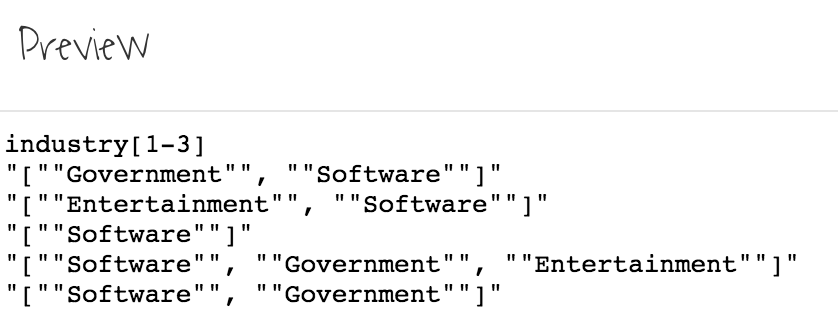
This is what I see in the preview.
I was looking to get values like:
Entertainment|Software
Instead it shows as:
“[”“Entertainment”“, ““Software””]”
Can anyone help me?
Thanks,
Ivan
I found a workaround:
A free test data generator and API mocking tool - Mockaroo lets you create custom CSV, JSON, SQL, and Excel datasets to test and demo your software.
But it seems like this might be a bug?